
Updated October 30, 2026
Beginner Guide: Your First Week
Learn how the pet checklist, daytime interactions and nighttime prompts fit together.
Browse by task
07 guides
Survive the week
Daily routines, nights and ending routes.
- Beginner Guide: Your First WeekLearn how the pet checklist, daytime interactions and nighttime prompts fit together.
- Daily Tasks: Food, Water, Toys & CuddlesFind the everyday interactions shown in cat gameplay and check whether each task has registered.
- Night Survival: Beds, Visitors & Waking UpRecognize the change from daily chores to nighttime instructions and dangerous curiosity.
- Endings Guide: Good Pet, Vet Visit & Hidden RoutesCompare the official ending clues with the routes visible in recorded gameplay.
- Badge Reference: 38 Official CluesBrowse the game’s published badge clues and separate explicit requirements from unsolved hints.
- Week 3, the Attic & Halloween UpdateCheck what Update 3 officially adds and what still needs a verified walkthrough.
- 7 Days as a Pet Codes & Free Gift StatusCheck the verified code status and the developer’s advertised favorite gift.
Quick answer
Read the yellow checklist, locate the food and water bowls, finish the visible tasks, and pay attention when the night changes.
§Read the pet checklist#
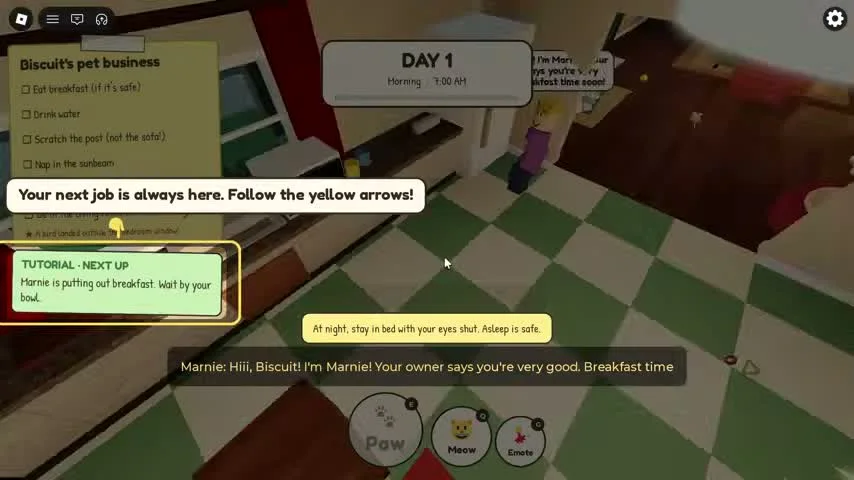
The yellow panel at the upper left tracks your pet’s business. In the reviewed cat run it lists safe breakfast, water, scratching the post, napping in a sunbeam, the litter box and attending the evening call. Your next job appears in the smaller green panel; follow the yellow arrows during the tutorial. Read both panels when an object has moved or become blocked.
§Learn the two main rooms#
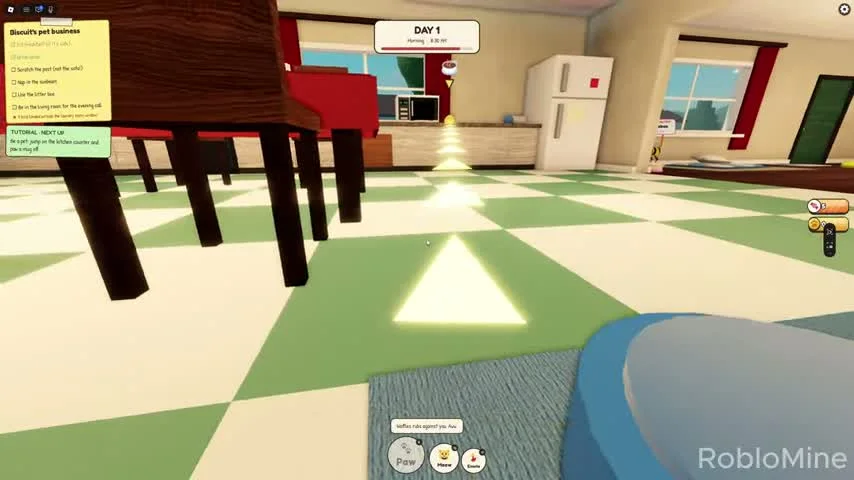
Food and water bowls sit along the kitchen wall near the dining area. The living room holds the sofa, television, scratching post and toy mouse. Learn the doorway between these rooms before night falls.
More details and exceptions
2 sections§Finish the day with a plan#
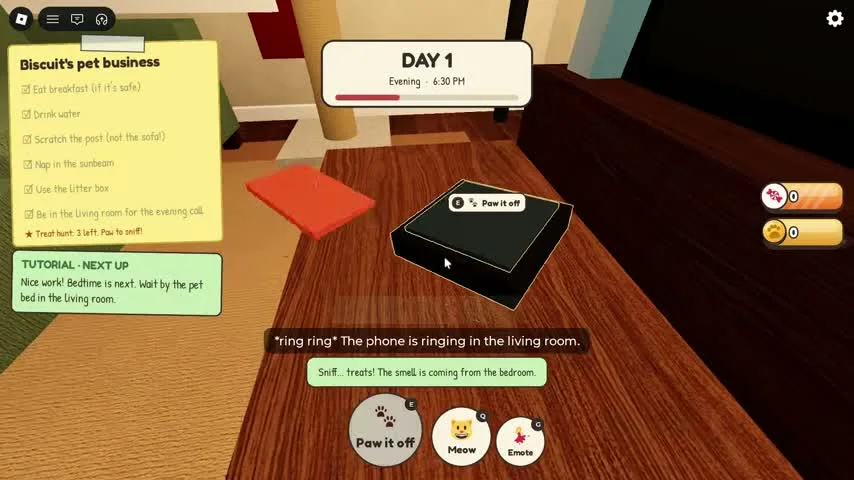
Finish the visible checklist, then follow the evening call and bedtime prompt. A recorded tutorial tells the player to wait by the pet bed in the living room. The phone on the side table offers a Paw it off interaction, with a tip explaining that it hangs up the call. Check the daily panel after each task; task completion can affect the night, and recorded text distinguishes cozy nights from skipped-chores penalties.
§Choose your second run#
The official Okay Pet clue asks you to reach the end of the week even after cutting corners. Good Pet asks you to do everything right every day and then pick the one who sneezes. Use a dedicated run for risky discoveries.
Scope and sources
Official hints and version-scoped recorded observations.
- Gameplay images show community recordings. Update 3 added a third week and the Attic; older footage may show earlier task lists.
- Badge clues are official hints. Exact triggers are stated only where the recorded sequence supports them.